How to Add Users to Your First Rule Contract Manager (FRCM) Environment
Last updated: January 16, 2026
Who can do this?
Only Microsoft Power Platform / Dynamics 365 Admins can add users to an FRCM environment.
Before You Start (Important)
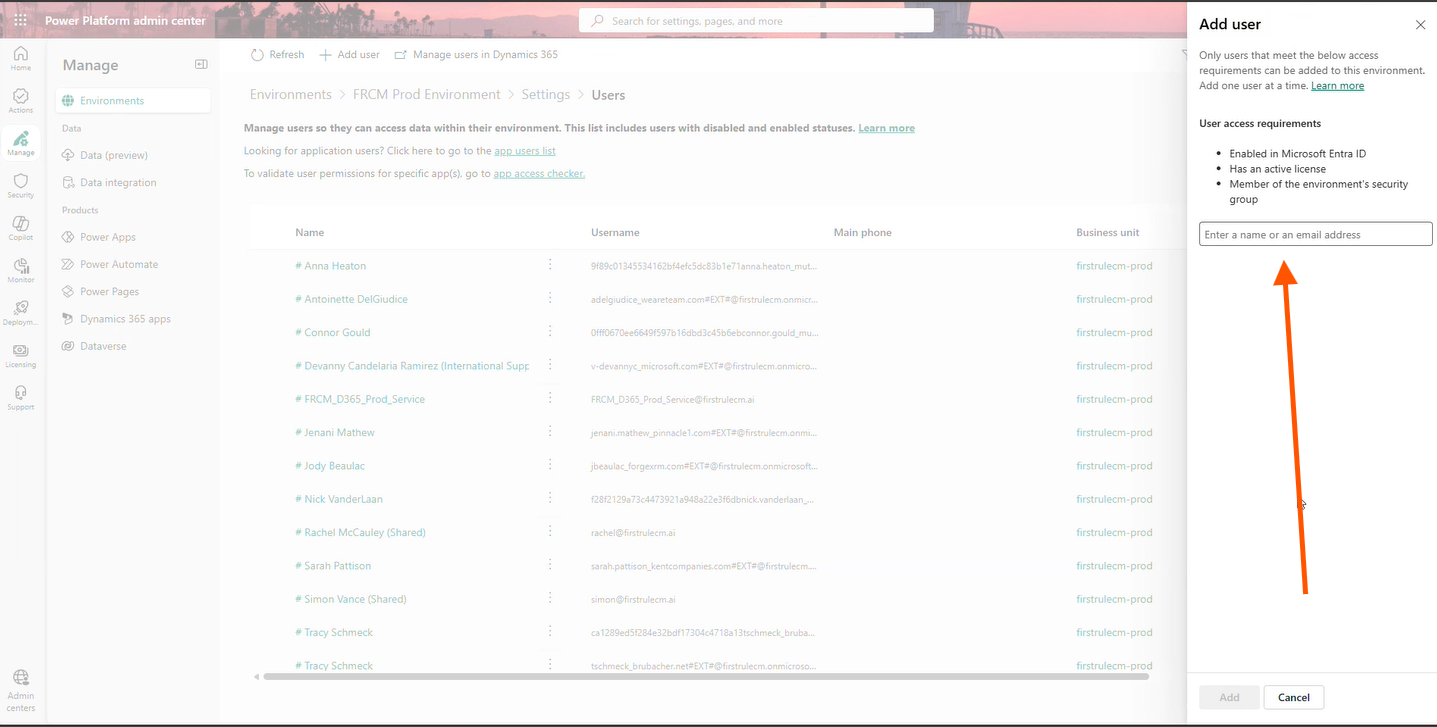
The user you’re adding must:
Exist in Microsoft Entra ID (Azure AD)
Have an active Microsoft license
Be a member of the environment’s security group
If any of these are missing, the user will not be eligible to add.
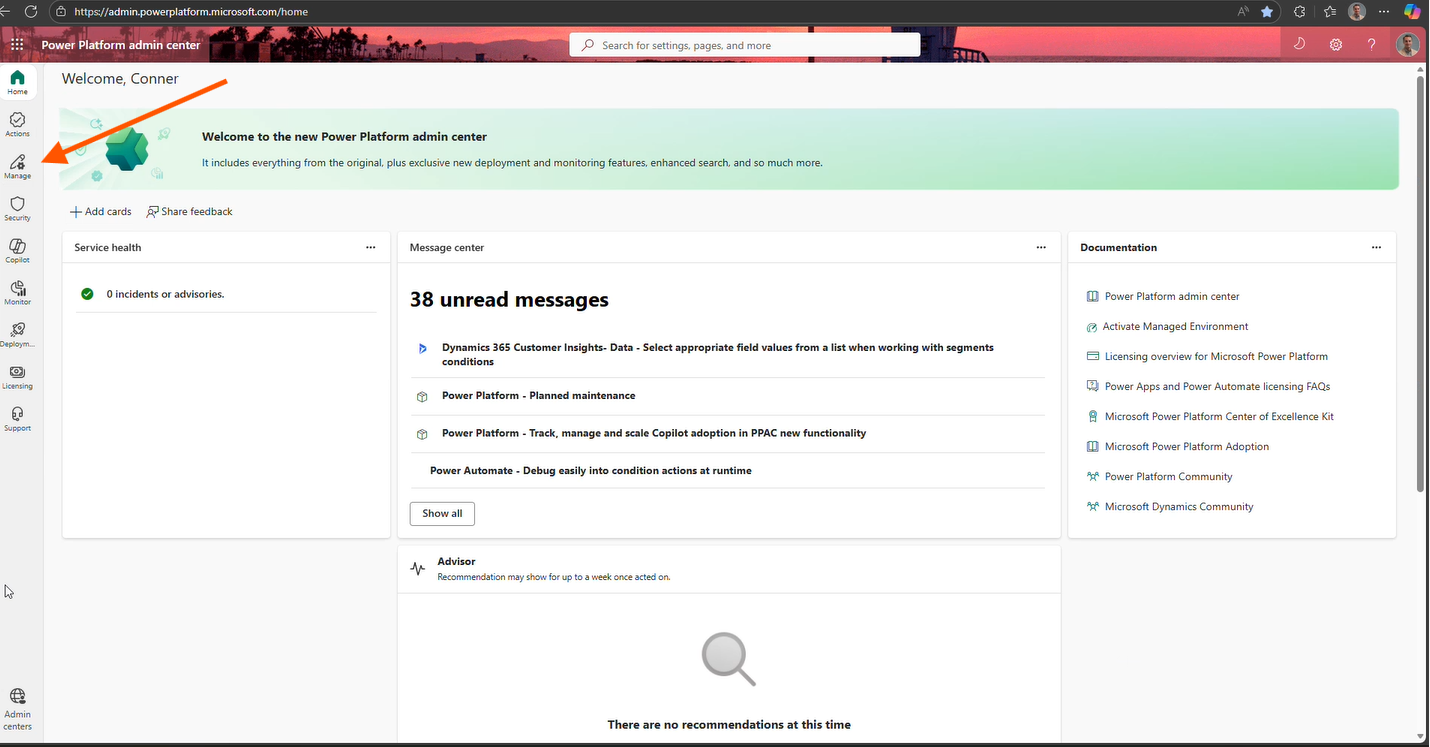
1⃣ Open the Power Platform Admin Center
Go to: https://admin.powerplatform.microsoft.com
2⃣ Navigate to Environments
Select Manage from the left navigation
Click Environments
Choose your FRCM environment

3⃣ Open Users
Inside the environment details page:
Look to the Access panel on the right
Click Users → See all

4⃣ Add the User
Click Add user (top of the Users list)
Enter the user’s name or email address
Select the correct user from the list
Click Add
🎉 That’s it! The user is now added to your FRCM environment.