How to Find Your Invoices
Last updated: October 22, 2025
You can view and download your invoices anytime directly from your account dashboard.
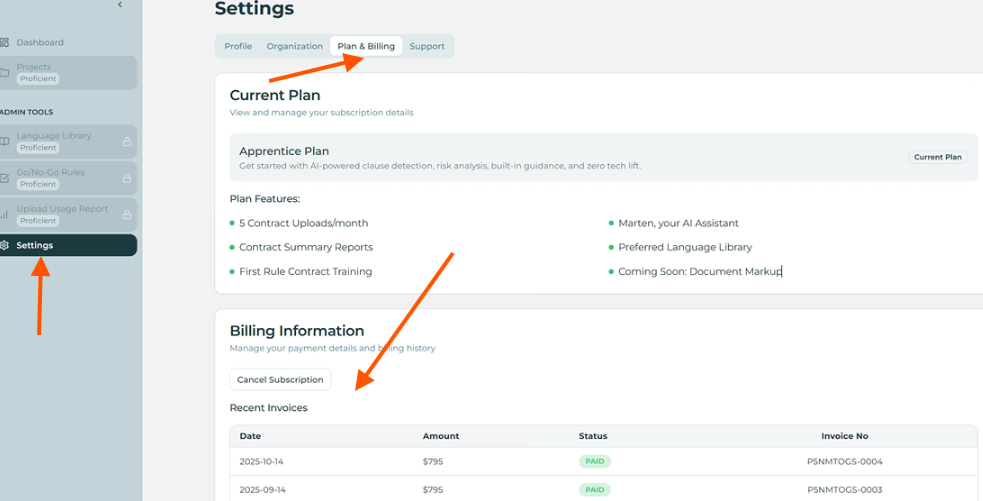
From your dashboard, click Settings.
Select the Plan & Billing tab at the top of the Settings page.
Scroll down to the Billing Information section.
Under Recent Invoices, you’ll see a list of your past payments — including the Date, Amount, Status, and Invoice Number.
💡 Pro Tip:
If you need a copy of a specific invoice or encounter any billing discrepancies, reach out to us at FRCMsupport@firstrulecm.ai and we’ll be happy to assist.