Vista → FRCM Account Sync — Overview & Troubleshooting
Last updated: May 19, 2026
What This Integration Does
The Vista → FRCM Account Sync automatically brings your Vista customer records into First Rule Contract Manager (FRCM) as Account records. When a customer is created or updated in Vista, those changes are reflected in FRCM on a scheduled sync interval configured for your environment.
The following fields are synced from Vista to FRCM:
Customer Name
Mailing Address (Street, City, State, Zip)
Phone
Fax
Email
Website
What to Expect
Changes made in Vista will appear in FRCM within your configured sync interval (typically 15 minutes, though this may vary by environment). This integration is one-way — Vista is the system of record. Any changes made directly to synced fields in FRCM will be overwritten on the next sync.
Note: Contact Name will appear blank on FRCM Account records. This is expected behavior for the current version of the integration.
Troubleshooting — Data Not Appearing in FRCM
If a Vista customer record does not appear or has not updated in FRCM, follow these steps before contacting support:
Step 1 — Confirm the change was saved in Vista. Verify the customer record was saved successfully in Vista with the expected values.
Step 2 — Wait for the sync interval. Allow the full sync interval to pass from the time the change was made in Vista. If you are unsure of your configured interval, contact First Rule support.
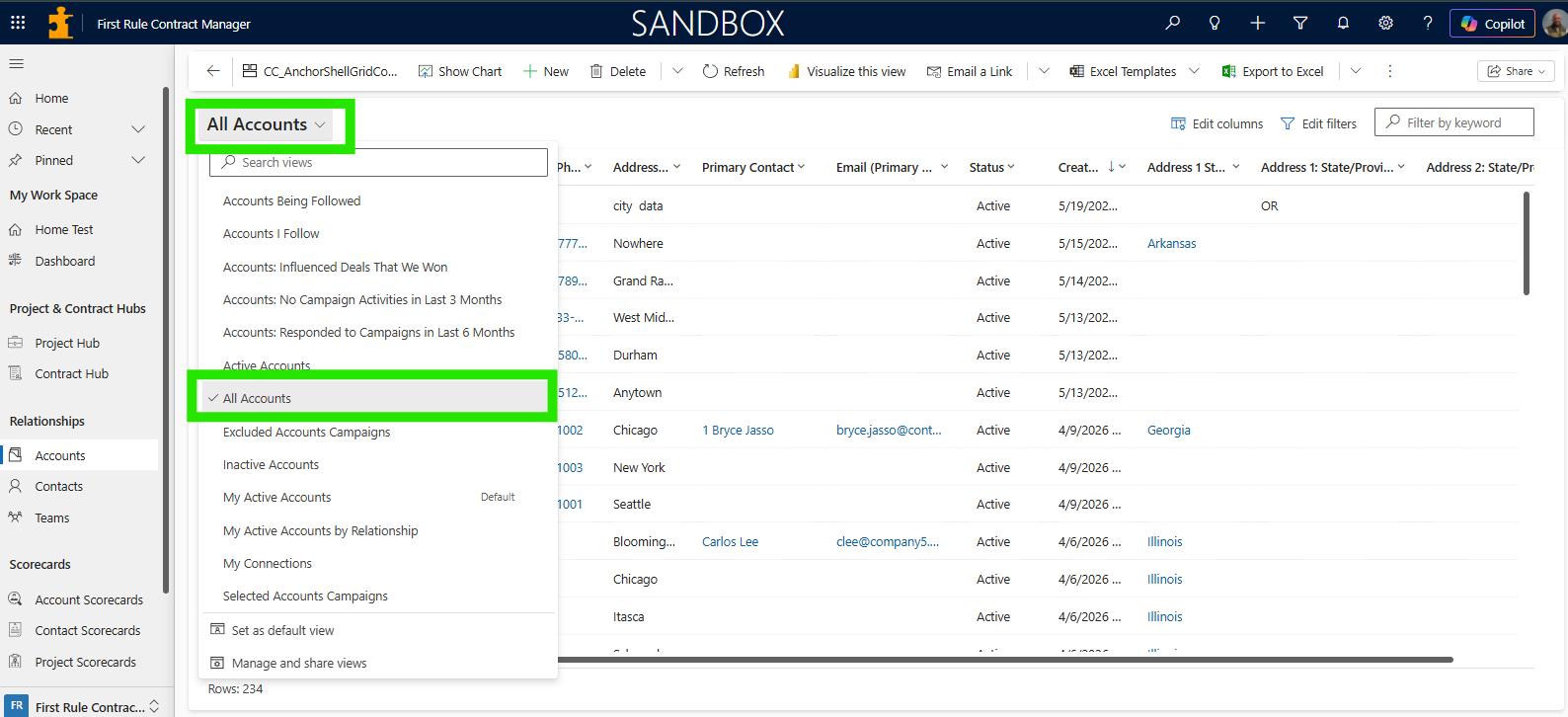
Step 3 — Check FRCM. After the interval has passed, open FRCM and navigate to Accounts. In the view selector, change the view from "My Accounts" to "All Accounts" to ensure you can see records created by the integration. Search by Customer Name or Customer Code.
Step 4 — Contact First Rule Support. If the record still has not appeared or updated after the sync interval, contact First Rule support using one of the channels below. Please have the following ready:
Vista Customer # for the affected record
The field(s) that are missing or incorrect
Approximate time the change was made in Vista
Support
First Rule responds to all support requests within 24 hours.
🌐 Knowledge Base: https://frcmsupport.help.usepylon.com/
✉ Email: FRCMsupport@firstrulecm.ai
📞 Phone: 410-405-7003