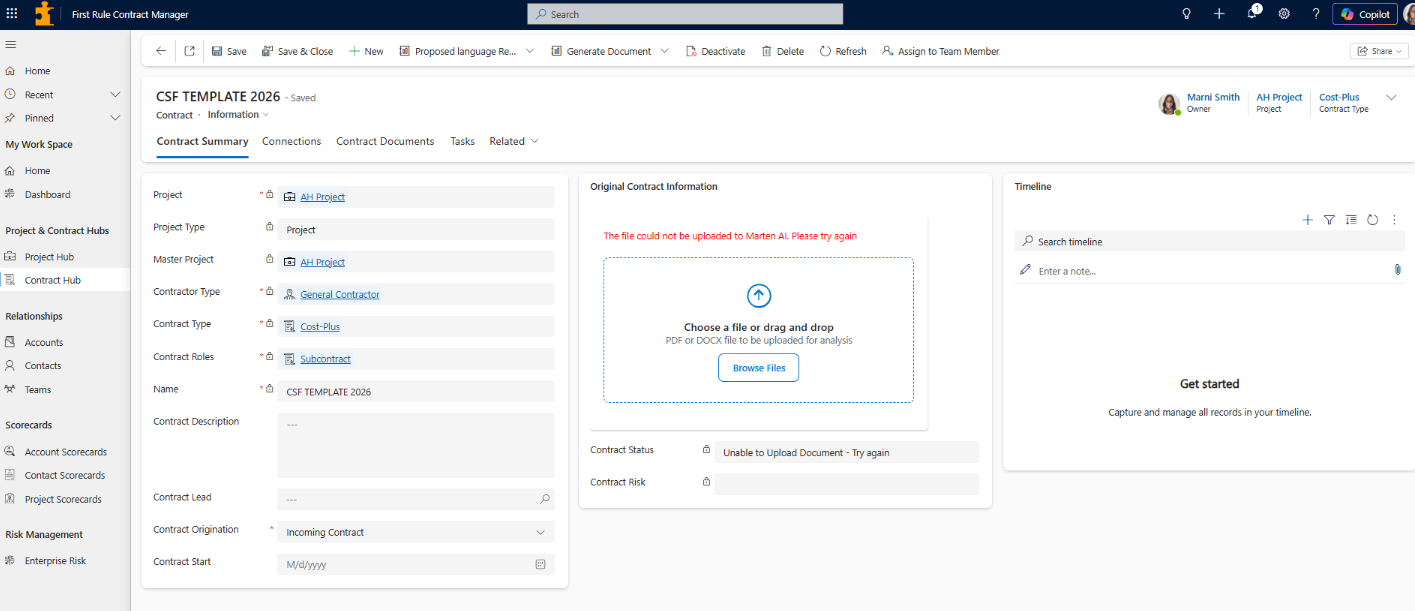
The File Could Not Be Uploaded to Marten AI – Try Again
Last updated: May 28, 2026
If you receive the error message:
“The file could not be uploaded to Marten AI. Please try again.”
the issue may be caused by special characters in the file name rather than the document itself.
Why This Happens
Certain special characters in a file title can prevent Marten AI from successfully processing the upload.
Examples of problematic characters include:
Apostrophes (
')Underscores (
_)Parentheses (
())Ampersands (
&)Hashtags (
#)Percent signs (
%)Other uncommon symbols
How to Resolve It
Step 1: Rename the File
Update the file name so it only contains:
Letters
Numbers
Spaces
Hyphens (
-)
Step 2: Save the Updated File Name
Once renamed, save the file locally on your computer.
Step 3: Re-Upload the File
Return to First Rule Contract Manager and upload the renamed version of the document.
You do not need to create a new contract shell.
Examples
Avoid Using | Recommended Format |
|---|---|
|
|
|
|
|
|