APPRENTICE Release 5.0.0 – FRCM Apprentice Tier Release Notes
Last updated: March 19, 2026
Overview
We’re excited to introduce Release 5.0.0, bringing a mix of powerful enhancements and usability improvements to the Apprentice Tier.
This release focuses on improving visibility, streamlining workflows, and giving users more control over their data—while also introducing new functionality to better support contract review and reporting.
✨ New Features
Contract Summary Report (CSR) Enhancements
The Contract Summary Report (CSR) has been updated with improved prompts to deliver clearer, more actionable insights during contract review.
What this means for you:
More refined outputs when generating summaries
Improved clarity and usability of contract insights
Better support for faster decision-making
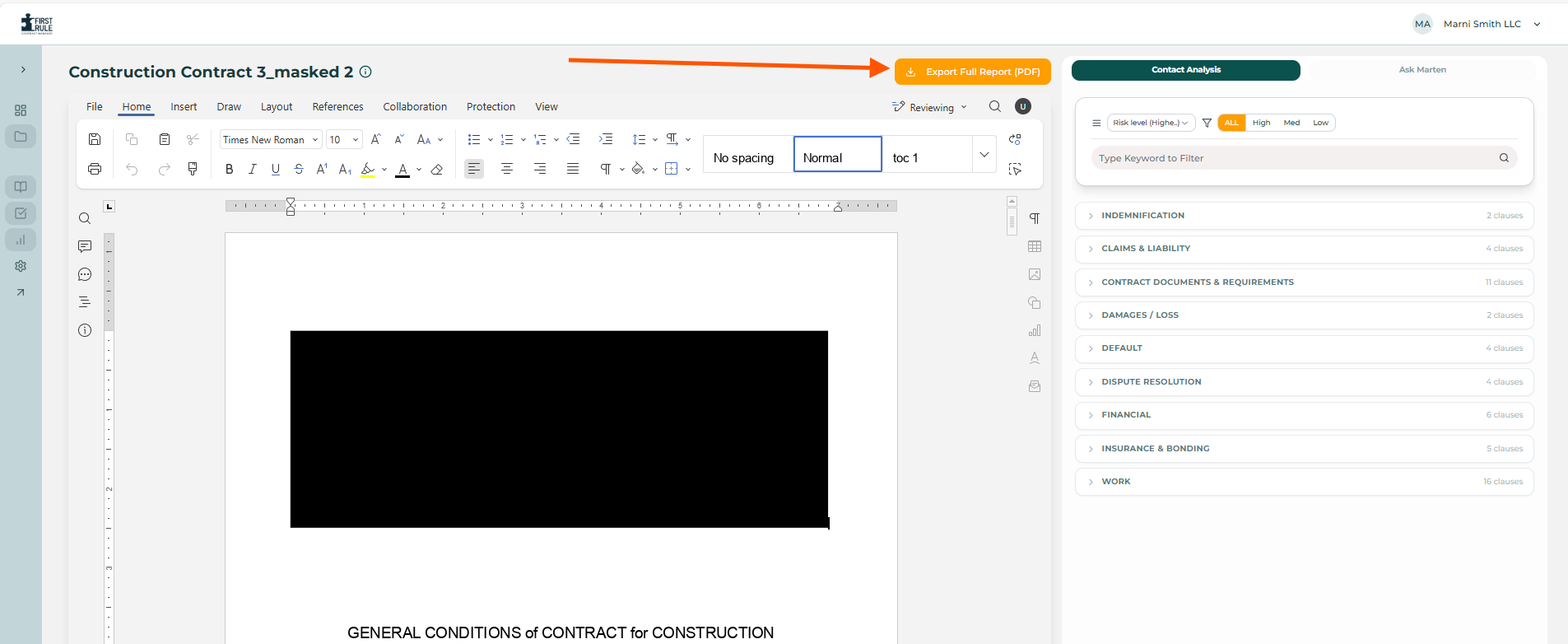
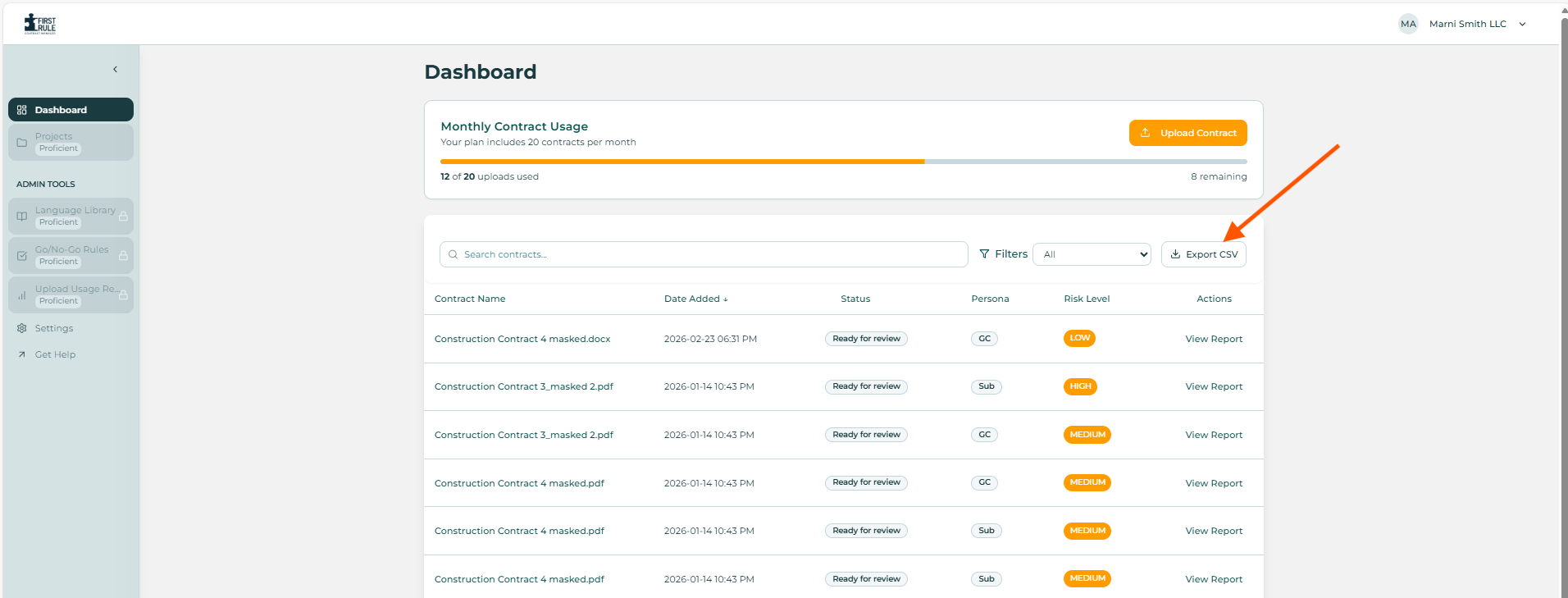
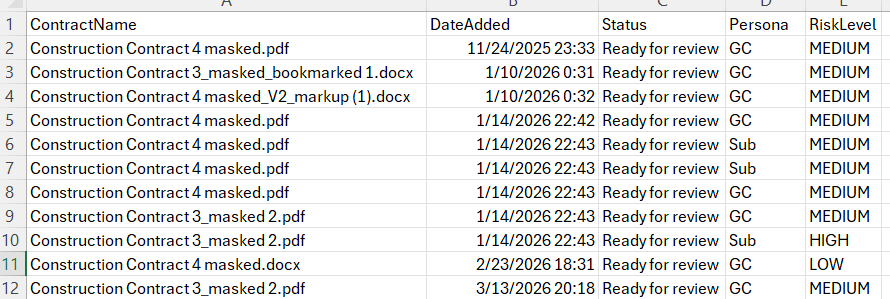
CSV Export Functionality
You can now export your data directly into a CSV report.
What this means for you:
Easily download and analyze contract data outside of FRCM
Share insights with internal stakeholders
Use data for reporting, tracking, or presentations
Mastery Plan Visibility in Settings
We’ve added full Mastery Plan details directly within:
Settings → Plans
What this means for you:
Clear visibility into plan options and features
Easier understanding of upgrade opportunities
More transparency into what’s available beyond Apprentice

⚙ Enhancements & Improvements
Advanced Data Controls
You can now sort and filter across all table headers.
What this means for you:
Quickly find the contracts you need
Customize your view based on key data points
Improve efficiency when managing large datasets
Persona Visibility
A new “Persona” column has been added to the data grid.
What this means for you:
Better context into contract roles and perspectives
Improved understanding of how contracts are being reviewed

Smart UI Logic
The “View Report” button will now automatically hide if contract generation fails.
What this means for you:
Cleaner, more intuitive interface
Reduced confusion when reports are unavailable
Contract Sorting Update
Contracts will now display from newest to oldest by default.
What this means for you:
Immediate access to your most recent work
Less time spent searching for current contracts