How To: Navigate the Process Flow
Last updated: June 10, 2025
This guide provides a step-by-step approach to effectively navigate the process flow within the application. By following these clear instructions, users can streamline their workflow, ensuring they move through different stages efficiently. It is particularly useful for those new to the system.
Navigate to the project you are working in - you will see the Project Process Flow at the top.

Select the circle labeled "Project Setup" and a drop down will appear.

Once you've finished filling out the fields and have uploaded your contract, you are ready to proceed to Contract Triage or Contract Negotiation. If you uploaded the Contract Type as "GC or Sub Triage", then continue on to "Contract Triage". Otherwise, continue on to "Contract Negotiation".
Click "Next Stage" once you've made your selection.

Click "Next Stage" once the project has been slated as "Go".

Select the contract you are negotiating.

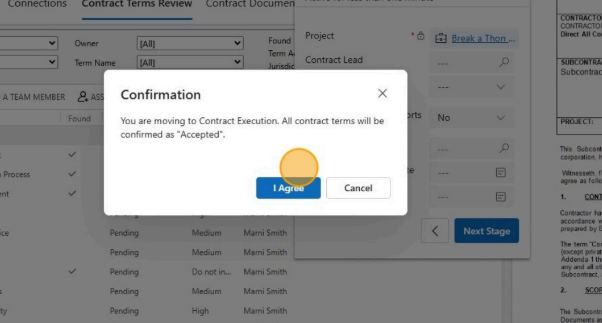
Once in Contract Negotiation, you will be able to review the Contract Terms here.
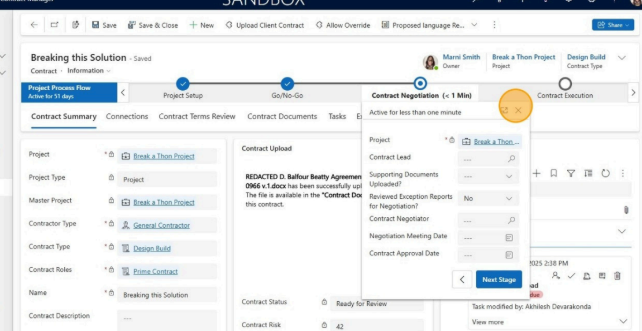
Once you've finished negotiating all terms and all language has been approved, you can select "Next Stage", which will take you through to "Contract Execution".