How To: Navigate to Contract Terms Review
Last updated: June 10, 2025
This guide provides a straightforward walkthrough for accessing and reviewing contract terms within the project management system. It simplifies the navigation process, ensuring users can efficiently locate critical contract information.
Click "Project Hub"
Select the Project you'd like to work in.
Click the circle above "Project Setup"
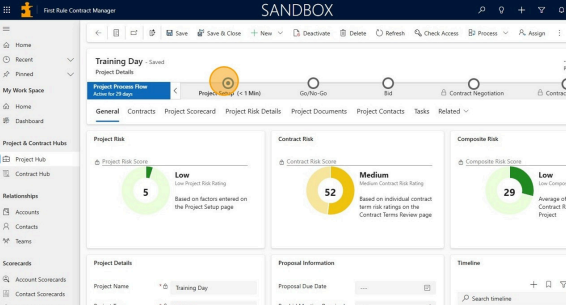
Select the dropdown for continuing to "Contract Triage" or "Contract Negotiation"

Once you've made your selection, continue on to the next stage - "Go/No-Go" and decide if you will be moving forward with the project or not and select which contract you'd like to review.

Close out of the "Contract Negotiation" pop up.
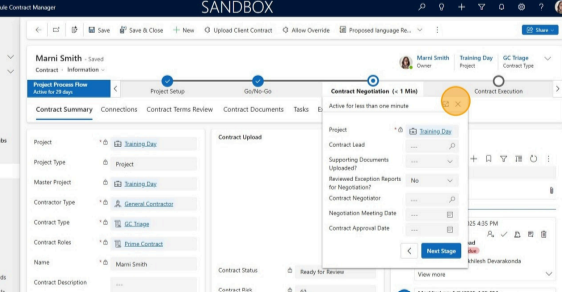
Click "Contract Terms Review"
All of your terms (or select Triage terms) will show up here for you to begin reviewing.