How To: Assign Contract Terms to Contacts
Last updated: June 10, 2025
This guide offers a step-by-step approach to efficiently assign contract terms to contacts (ie. Lawyers, Advisors, etc.). By following the outlined process, users can streamline their project management tasks and enhance their workflow.
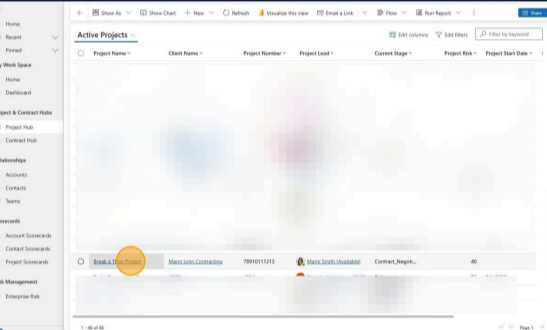
Go into your Project Hub and select the Project you would like to work on.
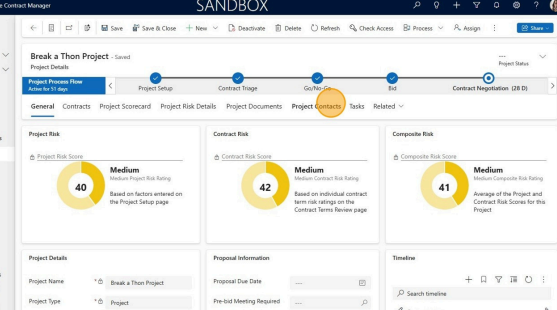
Click "Project Contacts"
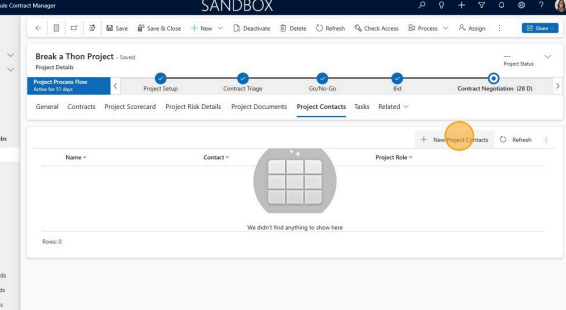
Click "New Project Contacts"
Click the "Look for Contact" field and either select the Contact or create a New Contact. Click "Save & Close" when you're finished.
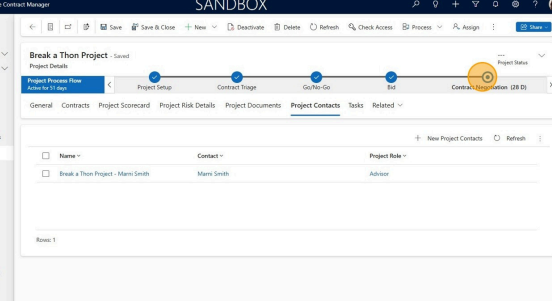
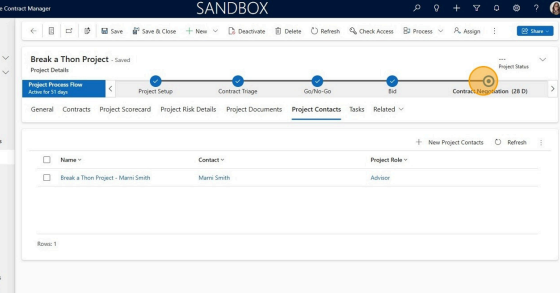
Navigate to "Contract Negotiation"
Click "Contract Terms Review"

Select the Term you would like to assign to the contact previously selected.

Click "Assign to Portal Contact"

Select the Contact you would like to assign to that term.
Click "Grant Access" after Contact has been selected.

Click "OK"
